> ## Documentation Index
> Fetch the complete documentation index at: https://docs.weborion.io/llms.txt
> Use this file to discover all available pages before exploring further.
# Changelog
> The latest updates and improvements to WebOrion.
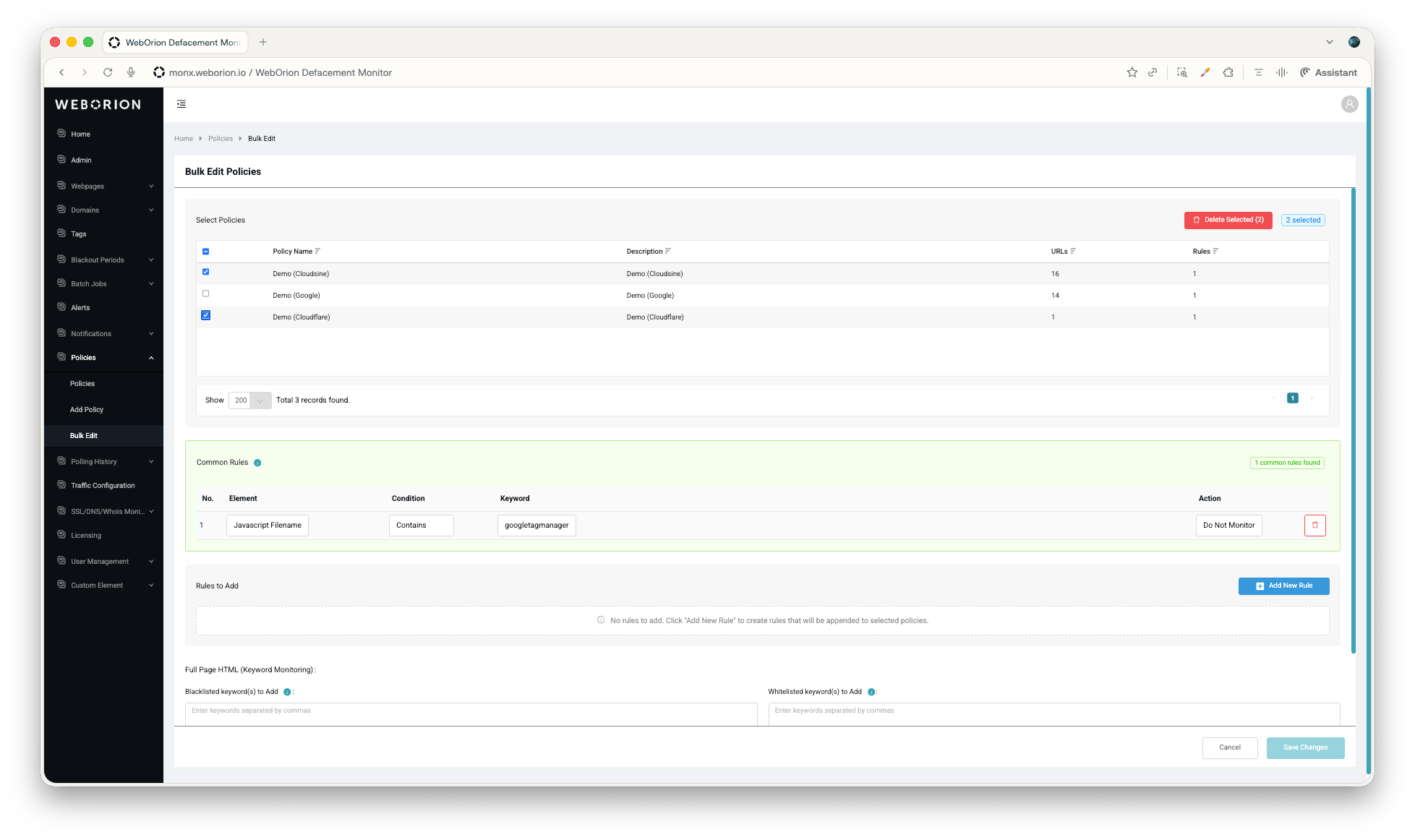
### Bulk Policy Control
You can now apply a monitoring policy across many URLs in a single action. For large estates, this turns repetitive edits into simple selections, and makes it far easier to keep policies consistent across everything you monitor.
 #### How it works
Instead of repeating the same configuration page by page, pick the pages at once, make the edits and the policy changes will be reflected across all selected sites.
### New Documentation Portal
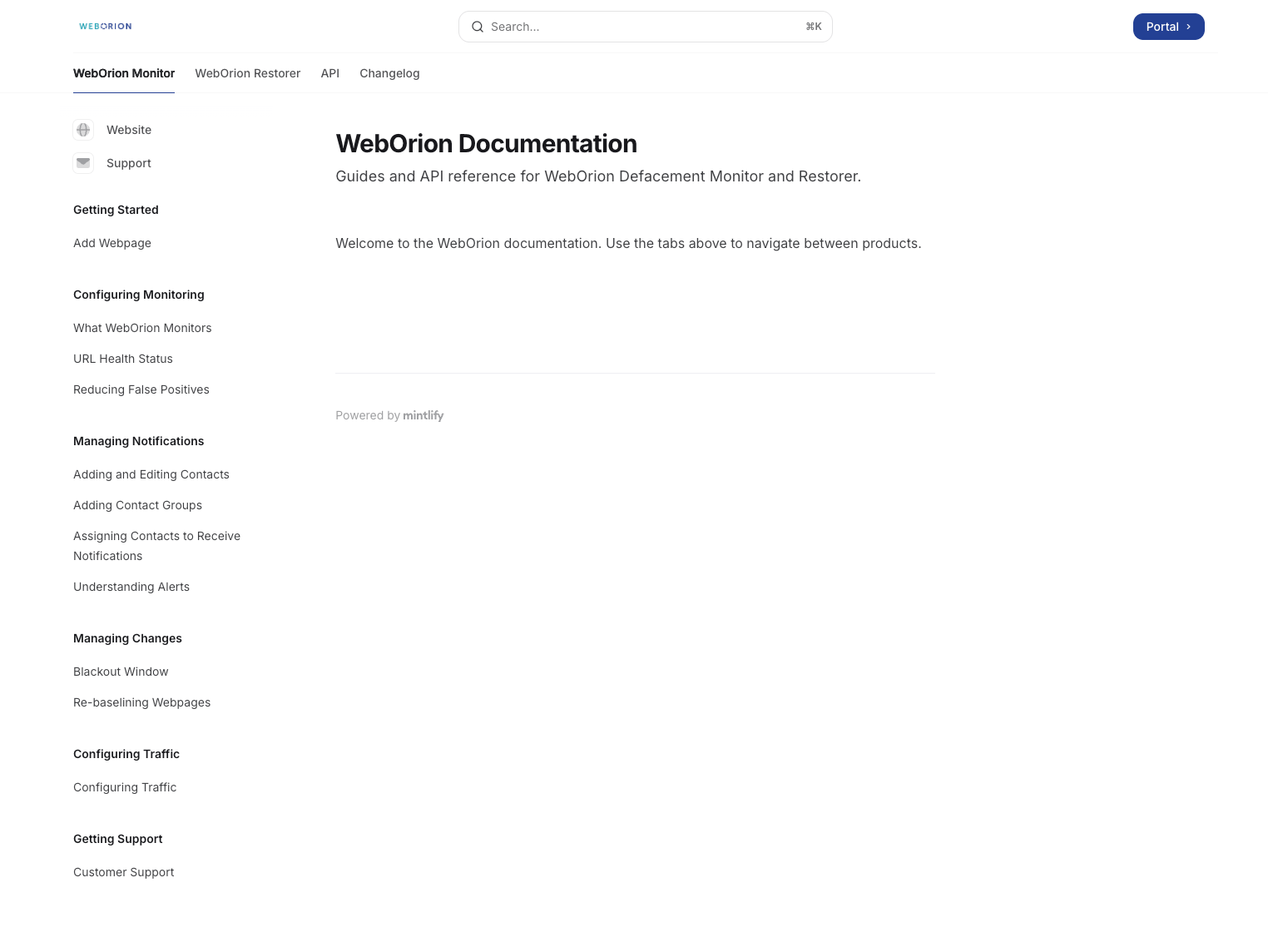
WebOrion’s documentation has moved out of scattered PDFs and into a single, modern portal. It brings together up-to-date user guides for both WebOrion Monitor and WebOrion Restorer, a full interactive API reference, and a running changelog.
#### How it works
Instead of repeating the same configuration page by page, pick the pages at once, make the edits and the policy changes will be reflected across all selected sites.
### New Documentation Portal
WebOrion’s documentation has moved out of scattered PDFs and into a single, modern portal. It brings together up-to-date user guides for both WebOrion Monitor and WebOrion Restorer, a full interactive API reference, and a running changelog.
 #### How it works
Visit [https://docs.weborion.io](https://docs.weborion.io) for the user guides. The API reference has a built-in “Try it” playground. Authenticate with a bearer token, fire a real request against any endpoint, and get an auto-generated cURL snippet back in the browser.
### Finetuning Suggestions for AI Triage
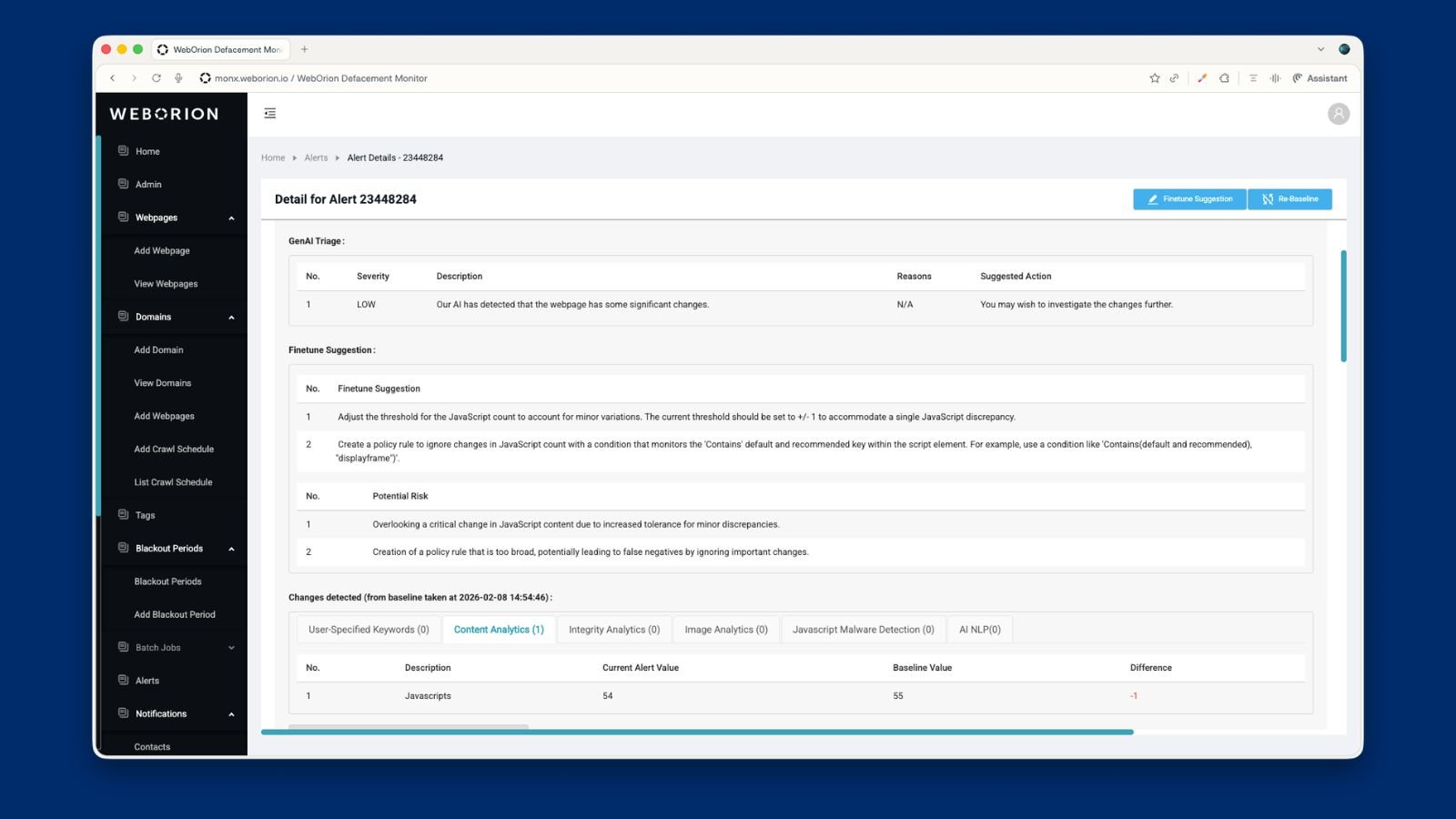
If you’re using AI Triage, you’ve probably noticed that some alerts keep showing up even though they’re not really of high severity — small changes, recurring patterns, or false positives. You can now generate finetuning suggestions directly from those alerts.
#### How it works
Visit [https://docs.weborion.io](https://docs.weborion.io) for the user guides. The API reference has a built-in “Try it” playground. Authenticate with a bearer token, fire a real request against any endpoint, and get an auto-generated cURL snippet back in the browser.
### Finetuning Suggestions for AI Triage
If you’re using AI Triage, you’ve probably noticed that some alerts keep showing up even though they’re not really of high severity — small changes, recurring patterns, or false positives. You can now generate finetuning suggestions directly from those alerts.
 #### How it works
When you spot a low-value or recurring alert, just click the button to get a clear suggestion on how to reduce similar false positives going forward. This means less manual rule-writing, fewer noisy alerts over time, and a steadily improving signal-to-noise ratio.
### Baseline HTML Preview & Blocking Script Detection
Ever had a baseline that just doesn’t behave the way you’d expect? Sometimes the cause is buried in the HTML — a blocking script, a bot-detection layer, or something else getting in the way of a clean capture. We've added baseline inspection tools to improve visibility into blocking scripts and monitored content
#### How it works
You can now inspect captured baseline HTML and identify blocking or bot-detection scripts that may interfere with monitoring. This gives you clearer visibility into what is being evaluated during scans and helps you diagnose misconfigured baselines more quickly.
### More Filtering Options for Alerts & Webpages
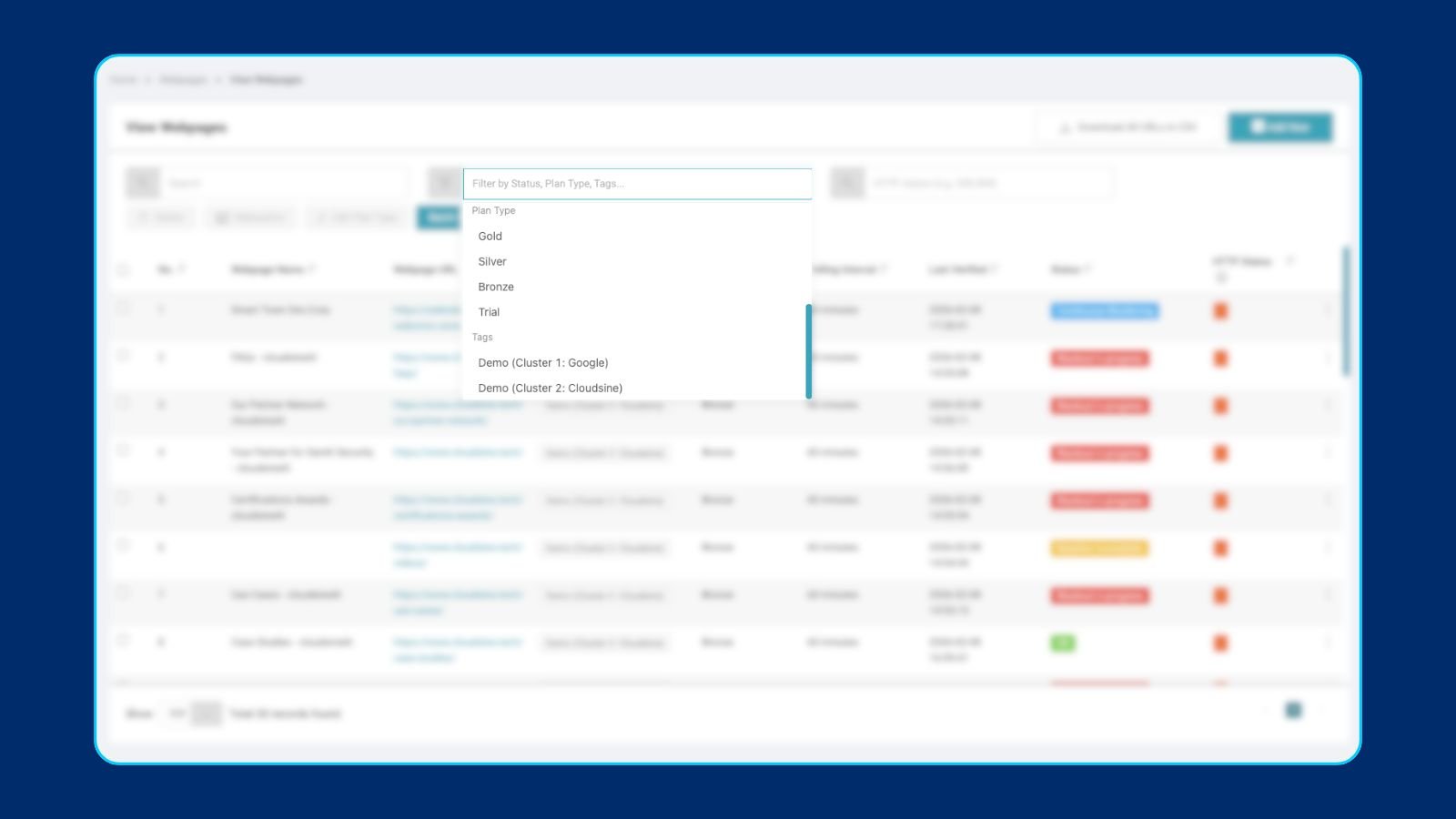
If you’ve ever felt like you were doing too much scrolling to find the alert or page you were looking for, this one’s for you. We’ve expanded the filtering options across both alerts and monitored webpages, giving you finer control over what shows up in your views. The result: faster investigations, less digging, and a cleaner workspace when you’re triaging at scale.
#### How it works
When you spot a low-value or recurring alert, just click the button to get a clear suggestion on how to reduce similar false positives going forward. This means less manual rule-writing, fewer noisy alerts over time, and a steadily improving signal-to-noise ratio.
### Baseline HTML Preview & Blocking Script Detection
Ever had a baseline that just doesn’t behave the way you’d expect? Sometimes the cause is buried in the HTML — a blocking script, a bot-detection layer, or something else getting in the way of a clean capture. We've added baseline inspection tools to improve visibility into blocking scripts and monitored content
#### How it works
You can now inspect captured baseline HTML and identify blocking or bot-detection scripts that may interfere with monitoring. This gives you clearer visibility into what is being evaluated during scans and helps you diagnose misconfigured baselines more quickly.
### More Filtering Options for Alerts & Webpages
If you’ve ever felt like you were doing too much scrolling to find the alert or page you were looking for, this one’s for you. We’ve expanded the filtering options across both alerts and monitored webpages, giving you finer control over what shows up in your views. The result: faster investigations, less digging, and a cleaner workspace when you’re triaging at scale.
 #### How it works
You now have access to expanded filtering options for alerts and monitored webpages. This helps you narrow down relevant results more quickly and improves overall investigation efficiency.
### Telegram Notifications
WebOrion customers can now receive monitoring alerts via Telegram in addition to email and SMS. This gives you more flexibility in how you stay informed and respond to incidents.
#### How it works
Generate a private registration link from the Notification centre on the WebOrion portal. Once registered, alerts will be sent on Telegram through the WebOrion Telegram Bot.
### Faster Baselining & Rebaselining
Baselining is the foundation of accurate monitoring — it’s how WebOrion® Monitor learns what your website should look like. We’ve significantly sped up the time taken for both baselining and rebaselining, so you spend less time waiting. This is especially impactful if you’re managing a large number of URLs or frequently updating your web content and need to rebase quickly after changes go live.
#### How it works
The baseline and rebaseline features function the same as before, but are significantly faster, even as they run in the background. Navigate to the Add Webpage tab to start a baseline, or View Webpages to start rebaselines.
### Batch URL Plan Type Updates
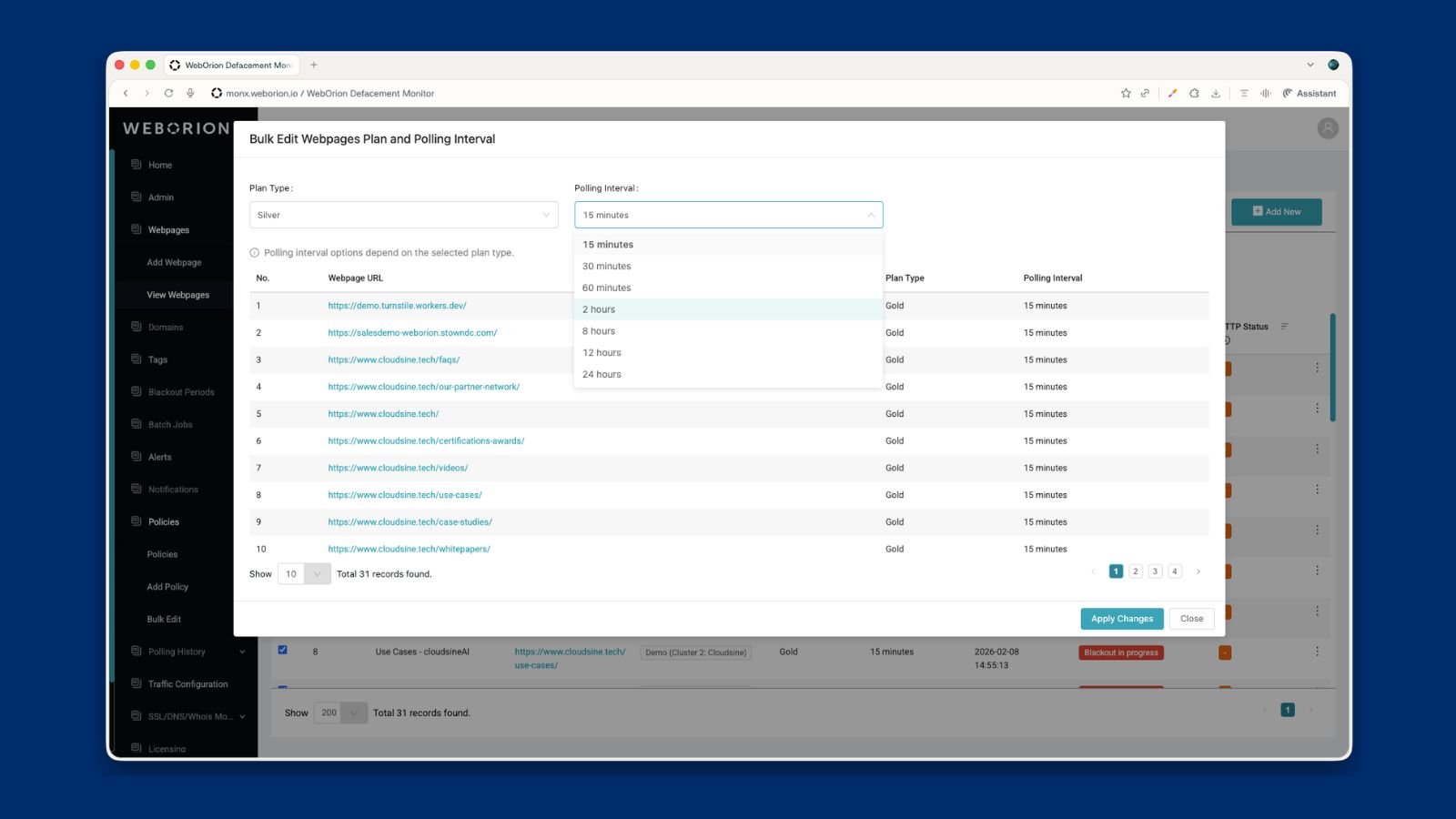
Need to adjust how frequently certain webpages are scanned? WebOrion Customers can now change monitoring intervals across multiple URLs at once, so reallocating your plan quota is quick and hassle-free.
#### How it works
You now have access to expanded filtering options for alerts and monitored webpages. This helps you narrow down relevant results more quickly and improves overall investigation efficiency.
### Telegram Notifications
WebOrion customers can now receive monitoring alerts via Telegram in addition to email and SMS. This gives you more flexibility in how you stay informed and respond to incidents.
#### How it works
Generate a private registration link from the Notification centre on the WebOrion portal. Once registered, alerts will be sent on Telegram through the WebOrion Telegram Bot.
### Faster Baselining & Rebaselining
Baselining is the foundation of accurate monitoring — it’s how WebOrion® Monitor learns what your website should look like. We’ve significantly sped up the time taken for both baselining and rebaselining, so you spend less time waiting. This is especially impactful if you’re managing a large number of URLs or frequently updating your web content and need to rebase quickly after changes go live.
#### How it works
The baseline and rebaseline features function the same as before, but are significantly faster, even as they run in the background. Navigate to the Add Webpage tab to start a baseline, or View Webpages to start rebaselines.
### Batch URL Plan Type Updates
Need to adjust how frequently certain webpages are scanned? WebOrion Customers can now change monitoring intervals across multiple URLs at once, so reallocating your plan quota is quick and hassle-free.
 #### How it works
WebOrion® Monitor scans your pages at different intervals (5, 10, or 15 minutes) depending on your plan. If you want to move a batch of lower-priority pages to a slower interval to free up quota for new critical webpages, you can now do it in one go.
### HTTP Status Code Monitoring
When a webpage does not respond, it could be due to various reasons, as given by HTTP status codes. These response codes will now be shown on the portal to give WebOrion customers greater visibility for ease of troubleshooting and incident analysis.
#### How it works
WebOrion® Monitor scans your pages at different intervals (5, 10, or 15 minutes) depending on your plan. If you want to move a batch of lower-priority pages to a slower interval to free up quota for new critical webpages, you can now do it in one go.
### HTTP Status Code Monitoring
When a webpage does not respond, it could be due to various reasons, as given by HTTP status codes. These response codes will now be shown on the portal to give WebOrion customers greater visibility for ease of troubleshooting and incident analysis.
 #### How it works
HTTP status codes are now displayed directly in your WebOrion Monitor dashboard for each tracked webpage. Whether it's a 200 confirming everything is healthy, a 404 flagging a missing page, or a 500 pointing to a server error, you'll see that information right alongside your existing content change monitoring.
### Custom Tags: Stay Organised as Monitoring Scales
A flat list of URLs works fine when you're tracking a handful of sites. But as your monitoring grows, finding what you need quickly becomes its own challenge.
#### How it works
Custom tags let you label your monitored webpages with any categories that make sense for your team — business unit, priority level, client, or region. Once tagged, you can filter your dashboard to focus on exactly the pages you need.
### Clearer SSL, DNS, and Whois Alert Emails
An alert is only useful if you can act on it immediately. We've gone back through our SSL, DNS, and Whois email alerts and aligned them for consistency.
#### How it works
HTTP status codes are now displayed directly in your WebOrion Monitor dashboard for each tracked webpage. Whether it's a 200 confirming everything is healthy, a 404 flagging a missing page, or a 500 pointing to a server error, you'll see that information right alongside your existing content change monitoring.
### Custom Tags: Stay Organised as Monitoring Scales
A flat list of URLs works fine when you're tracking a handful of sites. But as your monitoring grows, finding what you need quickly becomes its own challenge.
#### How it works
Custom tags let you label your monitored webpages with any categories that make sense for your team — business unit, priority level, client, or region. Once tagged, you can filter your dashboard to focus on exactly the pages you need.
### Clearer SSL, DNS, and Whois Alert Emails
An alert is only useful if you can act on it immediately. We've gone back through our SSL, DNS, and Whois email alerts and aligned them for consistency.
 #### How it works
The alerts carry the same information as before, but are now structured so you can get from notification to action as quickly as possible.
#### How it works
The alerts carry the same information as before, but are now structured so you can get from notification to action as quickly as possible.