> ## Documentation Index
> Fetch the complete documentation index at: https://docs.weborion.io/llms.txt
> Use this file to discover all available pages before exploring further.
# Re-baselining Webpages
> Update the reference baseline after making authorised changes to a monitored webpage.
After making authorised changes to a webpage, you'll need to re-baseline it so that WebOrion uses the updated version as the new reference for future polling checks. Without re-baselining, WebOrion will continue to flag the changes as alerts.
## Re-baselining from the portal
1. Go to **Webpage → View Webpages**
2. Click the **⋮** menu next to the webpage and select **Configuration**
3. Click the **Re-Baseline** button at the top of the page
This triggers the Intelligent Baselining Process for that page. Once complete, the new state is saved as the reference baseline.
Previously disabled elements will remain disabled after re-baselining. Newly added or changed elements will appear in the **Details** dropdown for you to review and configure.
## Re-baselining via email
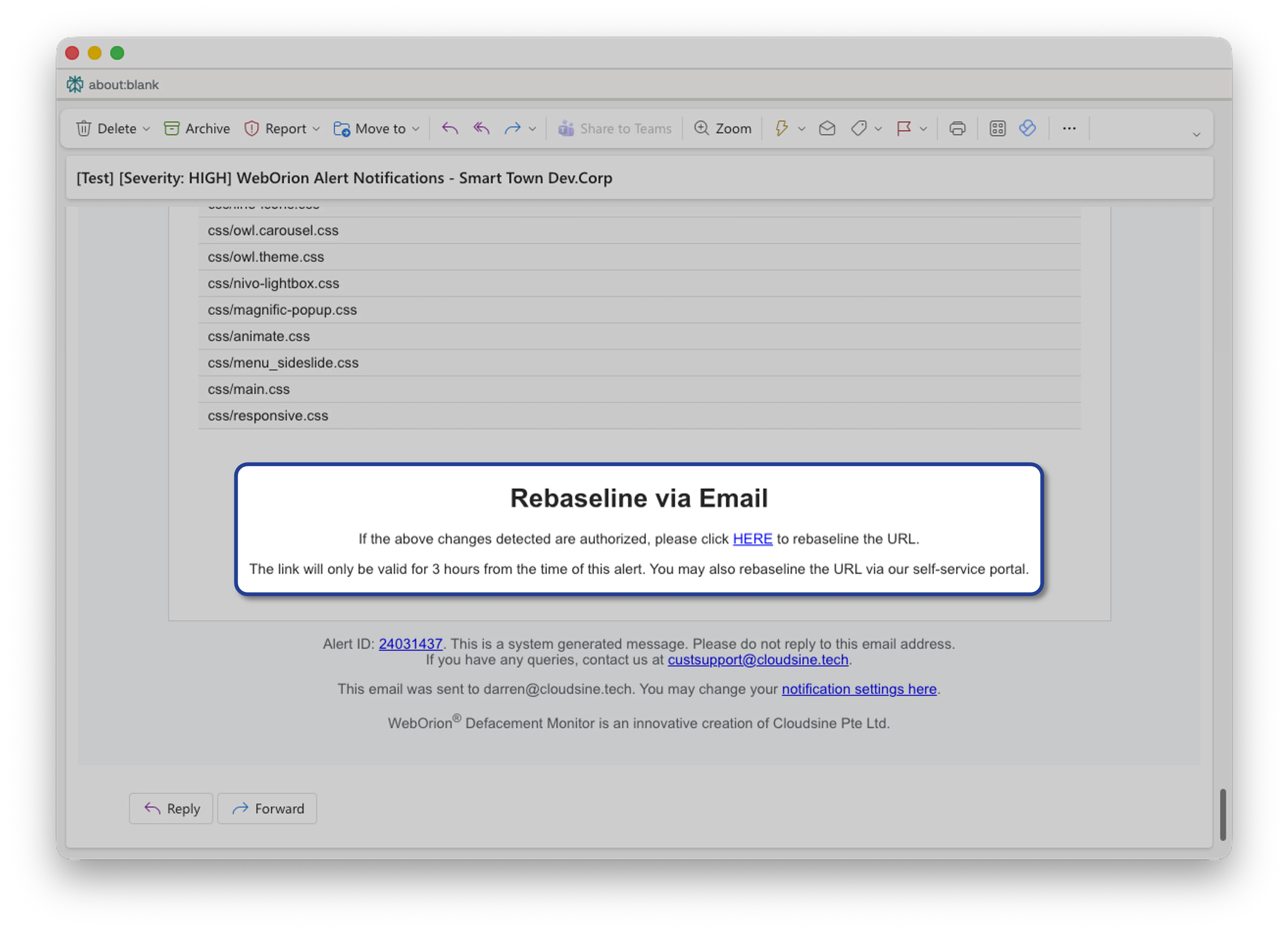 If a contact has the **Allow Re-baseline via Email** option enabled, they will receive a link in their alert email that triggers re-baselining directly — without needing to log into the portal.
Clicking the link will run the Intelligent Baselining Process and automatically save the recommended baseline.
## What to check after re-baselining
After re-baselining, review the **Details** dropdown in the Content & Integrity Analytics tab to confirm that:
* Any newly inserted elements have been picked up correctly
* Elements you want to exclude are still unchecked
* Thresholds are still appropriate for the updated page
See [Reducing False Positives](/defacement-monitor/configuring-monitoring/reducing-false-positives) for guidance on adjusting these settings.
If a contact has the **Allow Re-baseline via Email** option enabled, they will receive a link in their alert email that triggers re-baselining directly — without needing to log into the portal.
Clicking the link will run the Intelligent Baselining Process and automatically save the recommended baseline.
## What to check after re-baselining
After re-baselining, review the **Details** dropdown in the Content & Integrity Analytics tab to confirm that:
* Any newly inserted elements have been picked up correctly
* Elements you want to exclude are still unchecked
* Thresholds are still appropriate for the updated page
See [Reducing False Positives](/defacement-monitor/configuring-monitoring/reducing-false-positives) for guidance on adjusting these settings.