
New Feature
New Domain Crawler
You can now discover every page across your sites automatically. No more adding URLs one by one. Submit up to 30 domains per crawl and the crawler maps all reachable URLs across them.- Bulk Add — enter domains one at a time, or paste in a full list.
- Scoped discovery — set a Crawl Depth and Page Limit to keep each crawl to the right size.
- Straight into monitoring — review discovered URLs when a crawl finishes and add them to defacement monitoring individually or all at once.
- Coverage gap alerts — on completion, the configured Email Notification Contact Group receives a list of discovered URLs not yet under monitoring.
- Run it on your schedule — Once for a single on-demand crawl, Daily at a set time, or Weekly on a chosen day and time.
New Feature
URL Archive
Archive webpages you no longer need to monitor without losing their history. Archiving stops monitoring and frees the slot against your URL limit, while alerts, policies, notification settings, blackout schedules and verification history stay retained for audit.- Archived tab — archived pages live in their own tab on the Webpages screen, separate from the active list.
- One-click restore — bring a page back on its original plan and polling interval, or pick a new one.
- Quiet while archived — archived pages are excluded from dashboards, URL counts, blackout listings and notification configs, so they neither consume quota nor raise alerts.
-
API support — If you have access to our end user APIs, you can now
POST /api/v1/urls/batch_archive,POST /api/v1/urls/batch_restore, andGET /api/v1/urls?archived=trueto list archived pages.
New Feature
Dashboard Metrics
Introducing the new WebOrion dashboard. There are now more metrics instantly accessible on the homepage using a customisable widget system, so you can see the health of your monitored sites at a glance without digging through individual reports.How it works
Use the Edit Layout button to get started with customising your dashboard layout. From there you can:- Add widgets for the metrics that matter most to you — alert volume trends, monitoring coverage, recent alerts, blackout status, and more
- Resize and rearrange widgets by dragging them into place to build a layout that fits how you work
- Filter by domain or group so a widget only reflects the sites you care about, rather than your entire account
- Save your layout, which persists across sessions — every team member can set up their own view without affecting anyone else’s
New Feature
FQDN level AI Triage Preferences
You can now customise how AI Triage classifies alerts on a per-domain basis — setting severity levels for common alert types and optionally providing a custom triage prompt for each monitored FQDN.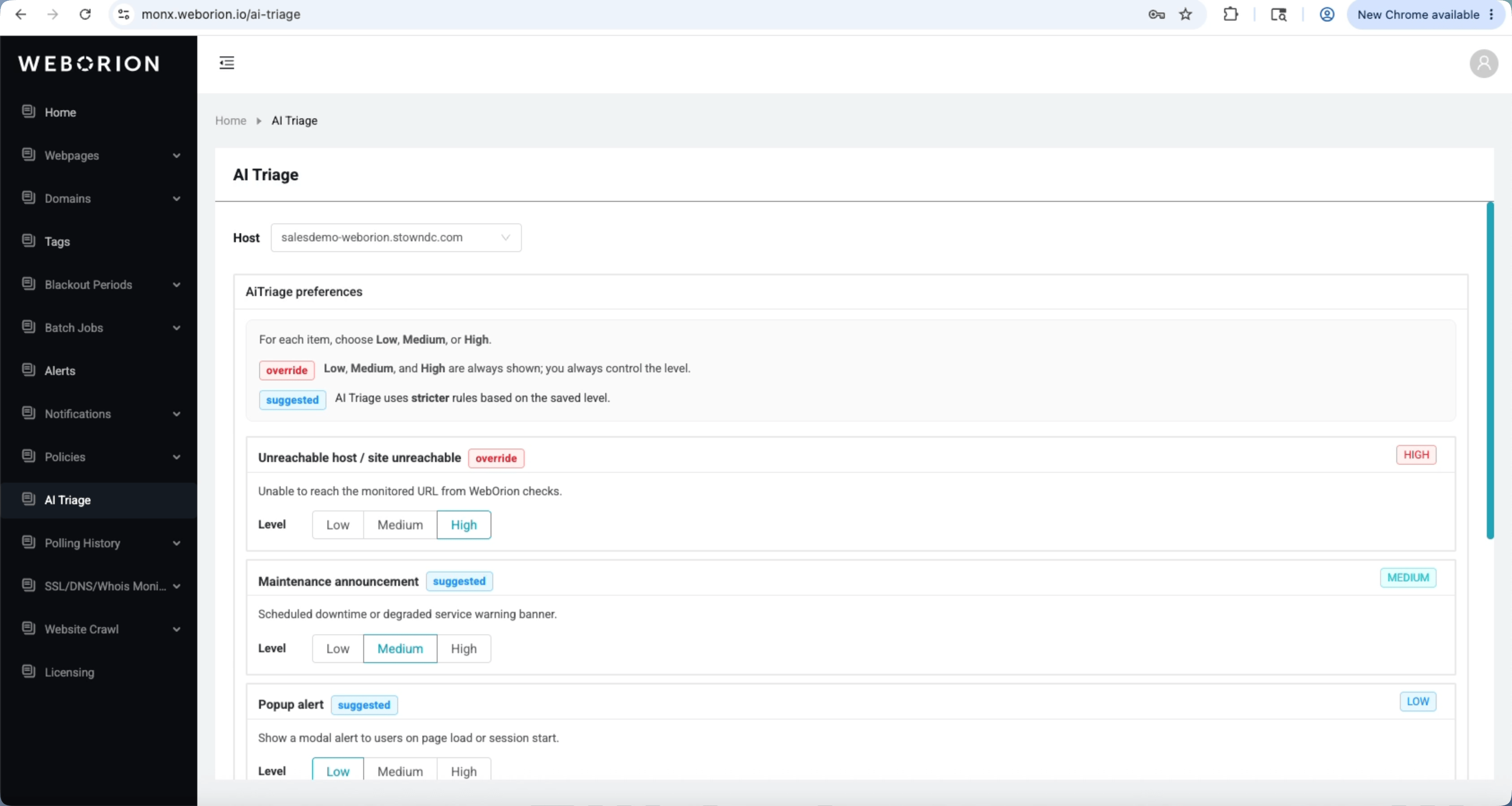
How it works
Take control of how AI Triage evaluates your monitored sites. Set custom severity levels for common alert types — like maintenance pages, popups, and cookie banners — on a per-domain basis, so alerts are ranked in a way that reflects what matters to your organisation. Advanced users can further fine-tune triage behaviour with a custom prompt for each domain.New Feature
Automatic Finetuning of Third Party Scripts
WebOrion can now automatically detect third-party scripts on monitored webpages and suggest policy rules to exclude them from monitoring, offering finetuning suggestions and implementing them in one click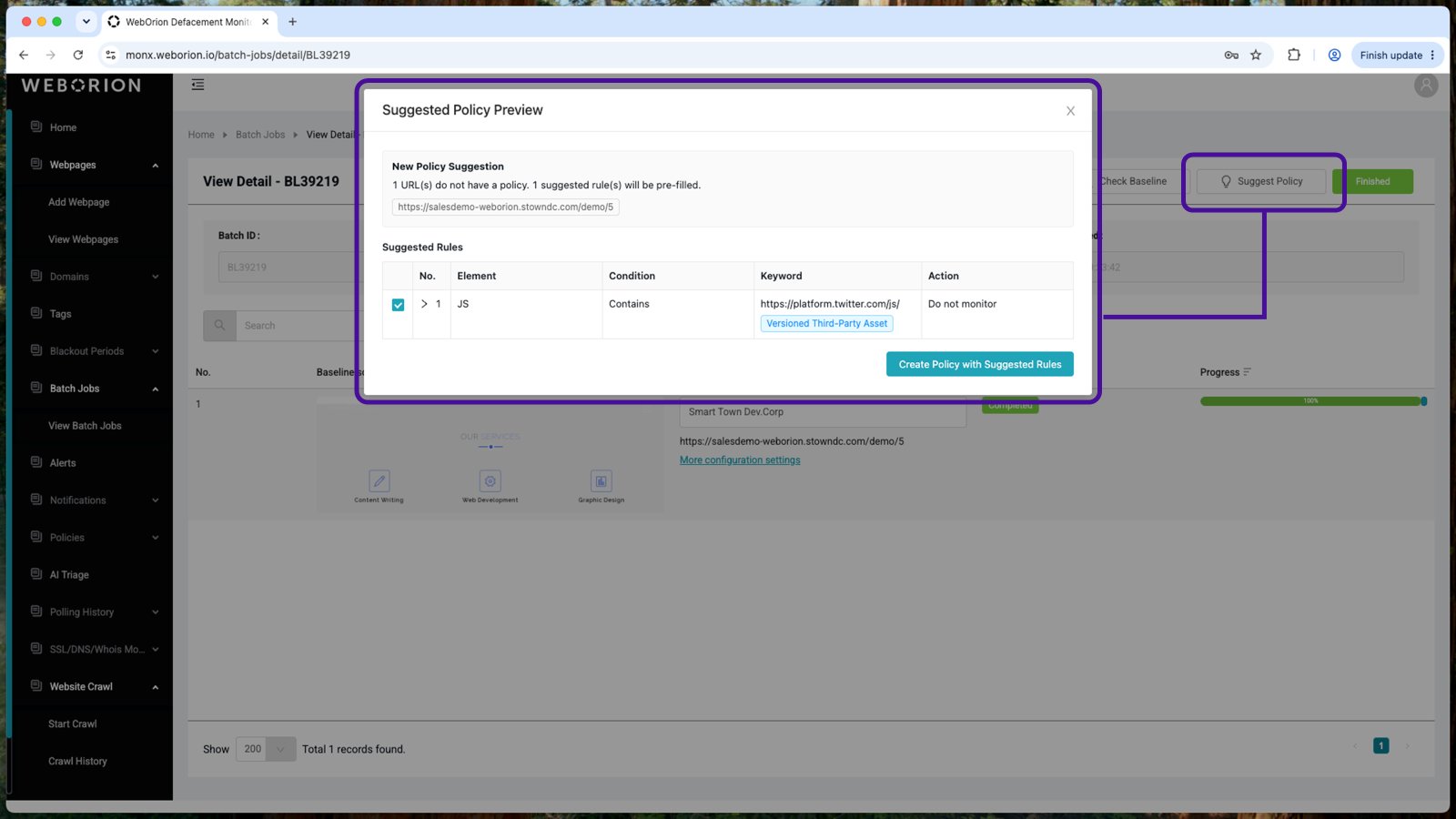
How it works
Cut down on false positives caused by third-party scripts like Google Analytics, Google Tag Manager, and Hotjar. The Suggest Policy feature automatically detects these external scripts on your monitored pages and generates ready-to-apply policy rules to exclude them from monitoringImprovement
Batch & Recurring Blackout Windows
Blackout windows pause monitoring for selected webpages during planned maintenance, but what if that scheduled downtime is recurring? (i.e. Every Sunday night). Batch blackout lets you set recurring blackout schedules with a new Repeating mode alongside the Once modeHow it works
You can now select multiple webpages when creating a blackout period, and set recurring maintenance windows (new Repeating mode) instead of re-entering them each time. Set Effective From/To dates, a Frequency with Start/End times, choose Days (weekly) or Dates (monthly), and confirm in the new Preview table before saving. Existing periods are still edited or deleted under Blackout Period → Blackout Periods.New Feature
Bulk Policy Control
You can now apply a monitoring policy across many URLs in a single action. For large estates, this turns repetitive edits into simple selections, and makes it far easier to keep policies consistent across everything you monitor.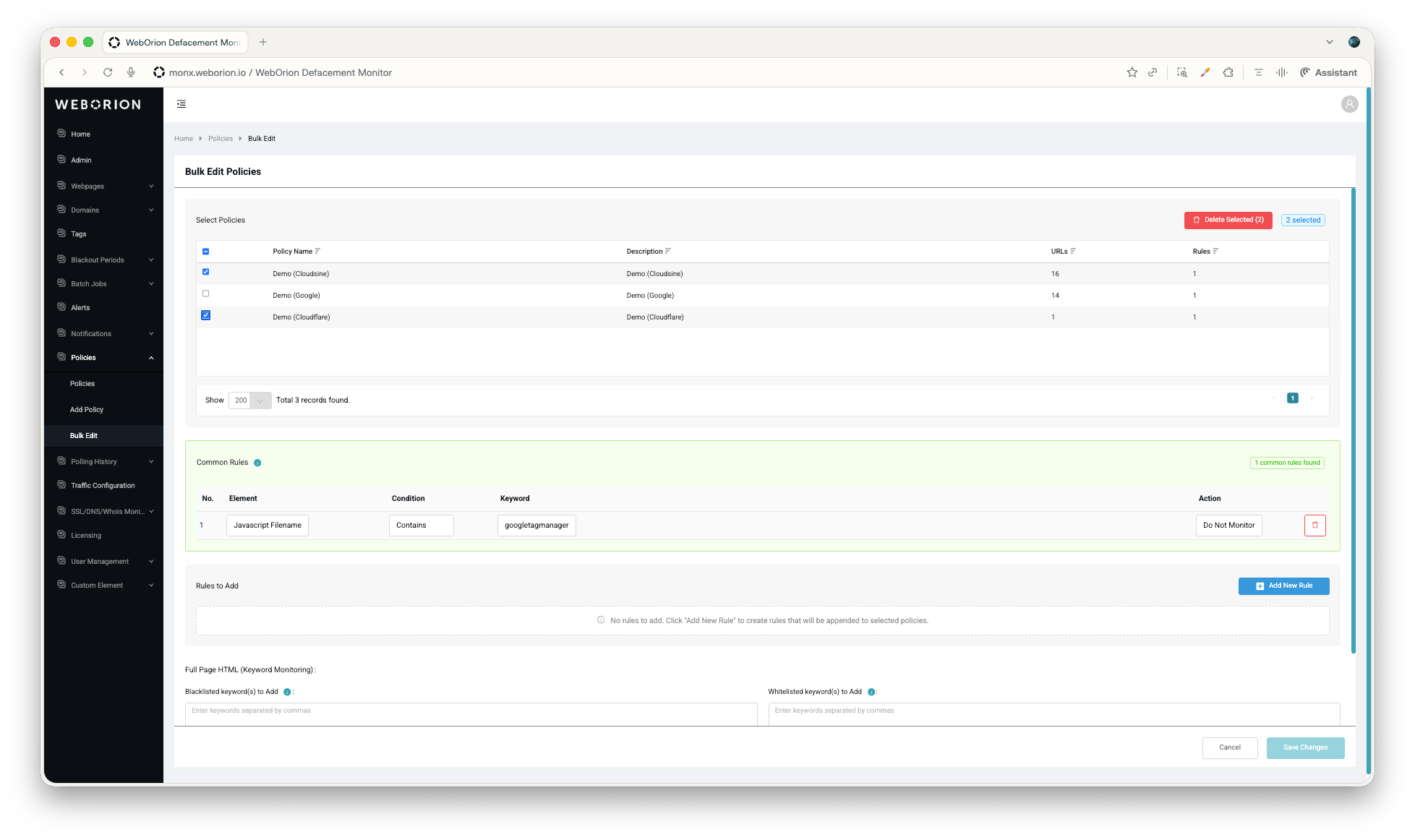
How it works
Instead of repeating the same configuration page by page, pick the pages at once, make the edits and the policy changes will be reflected across all selected sites.Improvement
New Documentation Portal
WebOrion’s documentation has moved out of scattered PDFs and into a single, modern portal. It brings together up-to-date user guides for both WebOrion Monitor and WebOrion Restorer, a full interactive API reference, and a running changelog.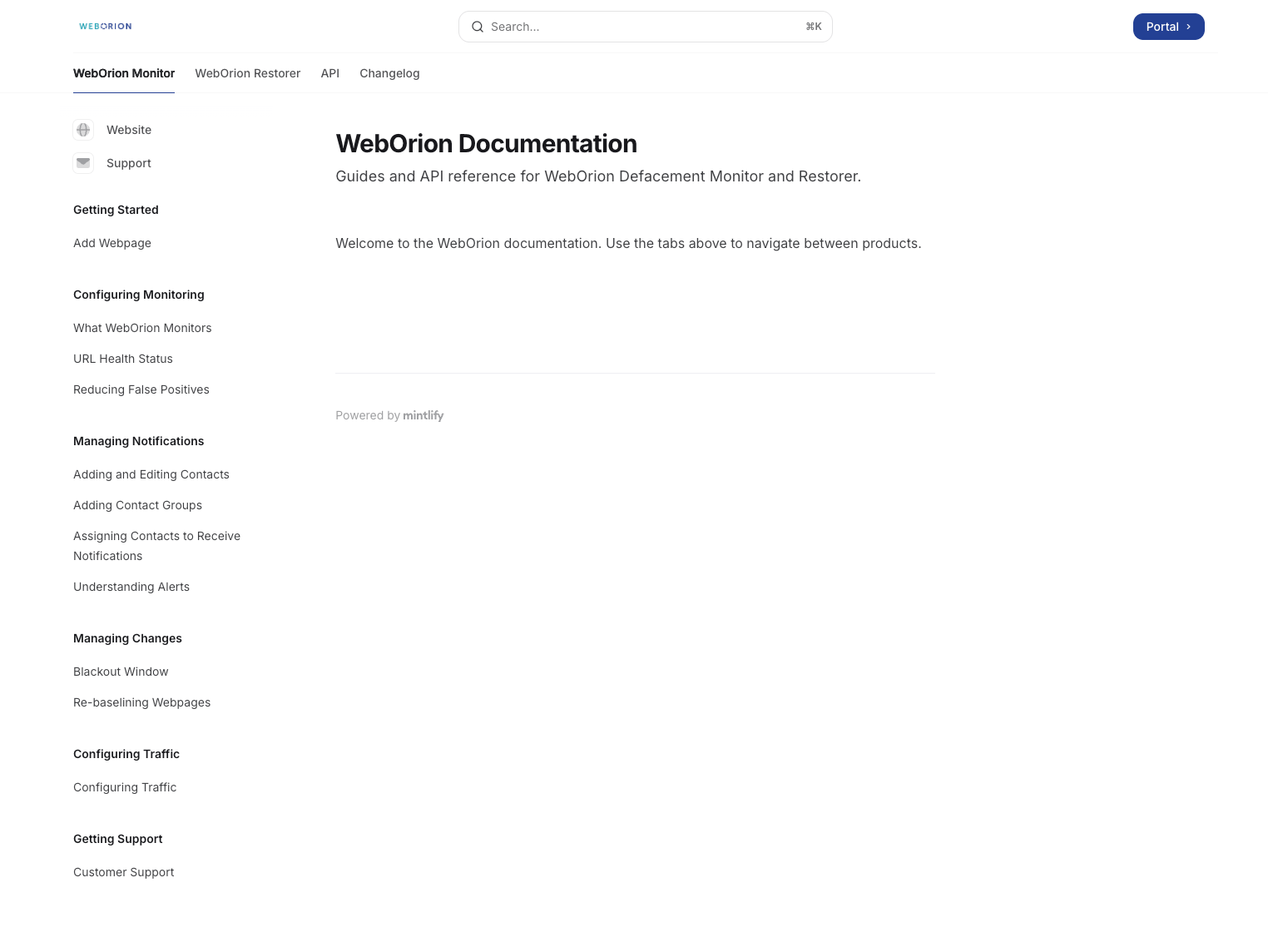
How it works
Visit https://docs.weborion.io for the user guides. The API reference has a built-in “Try it” playground. Authenticate with a bearer token, fire a real request against any endpoint, and get an auto-generated cURL snippet back in the browser.New Feature
Finetuning Suggestions for AI Triage
If you’re using AI Triage, you’ve probably noticed that some alerts keep showing up even though they’re not really of high severity — small changes, recurring patterns, or false positives. You can now generate finetuning suggestions directly from those alerts.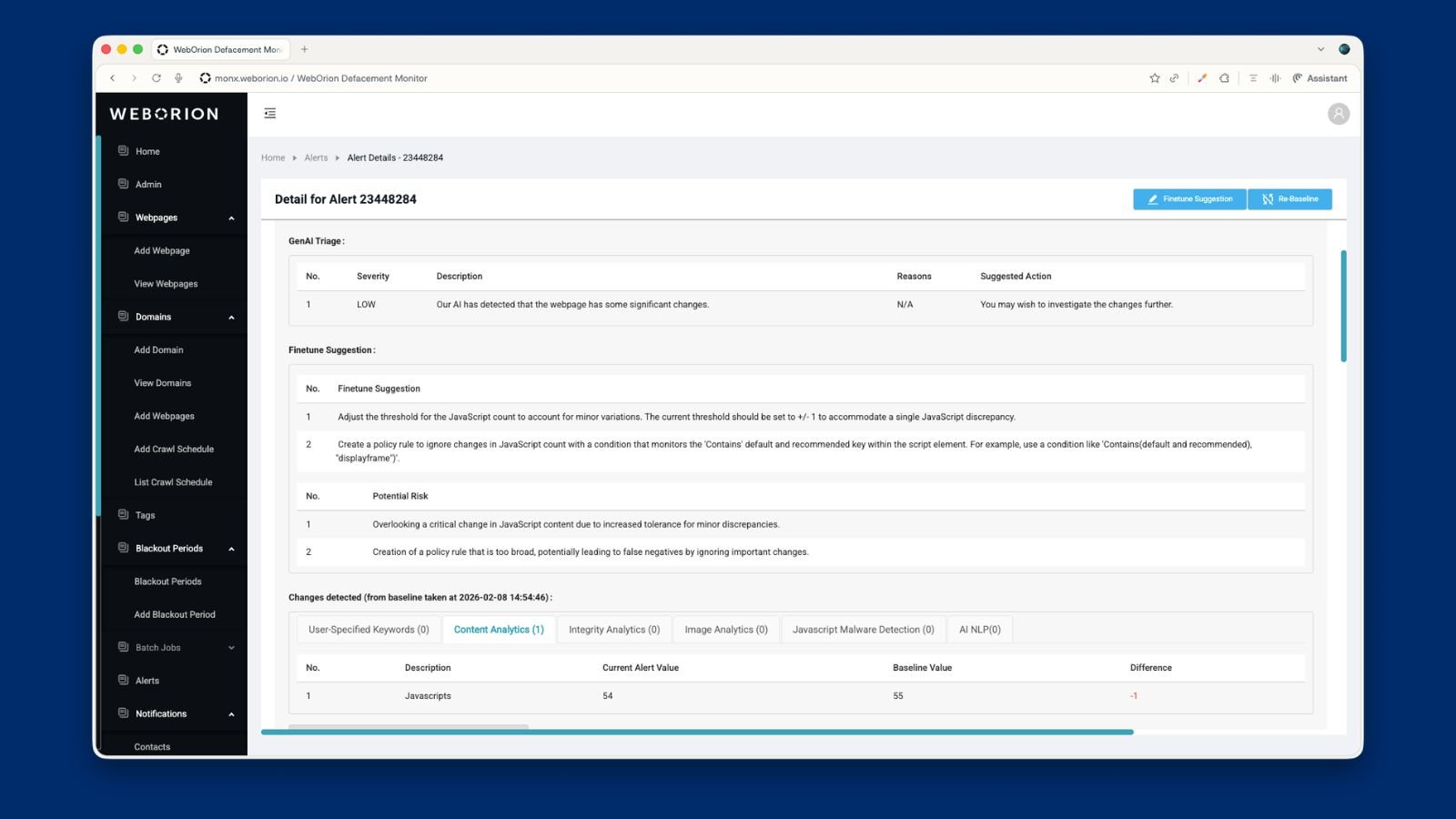
How it works
When you spot a low-value or recurring alert, just click the button to get a clear suggestion on how to reduce similar false positives going forward. This means less manual rule-writing, fewer noisy alerts over time, and a steadily improving signal-to-noise ratio.New Feature
Baseline HTML Preview & Blocking Script Detection
Ever had a baseline that just doesn’t behave the way you’d expect? Sometimes the cause is buried in the HTML — a blocking script, a bot-detection layer, or something else getting in the way of a clean capture. We’ve added baseline inspection tools to improve visibility into blocking scripts and monitored contentHow it works
You can now inspect captured baseline HTML and identify blocking or bot-detection scripts that may interfere with monitoring. This gives you clearer visibility into what is being evaluated during scans and helps you diagnose misconfigured baselines more quickly.Improvement
More Filtering Options for Alerts & Webpages
If you’ve ever felt like you were doing too much scrolling to find the alert or page you were looking for, this one’s for you. We’ve expanded the filtering options across both alerts and monitored webpages, giving you finer control over what shows up in your views. The result: faster investigations, less digging, and a cleaner workspace when you’re triaging at scale.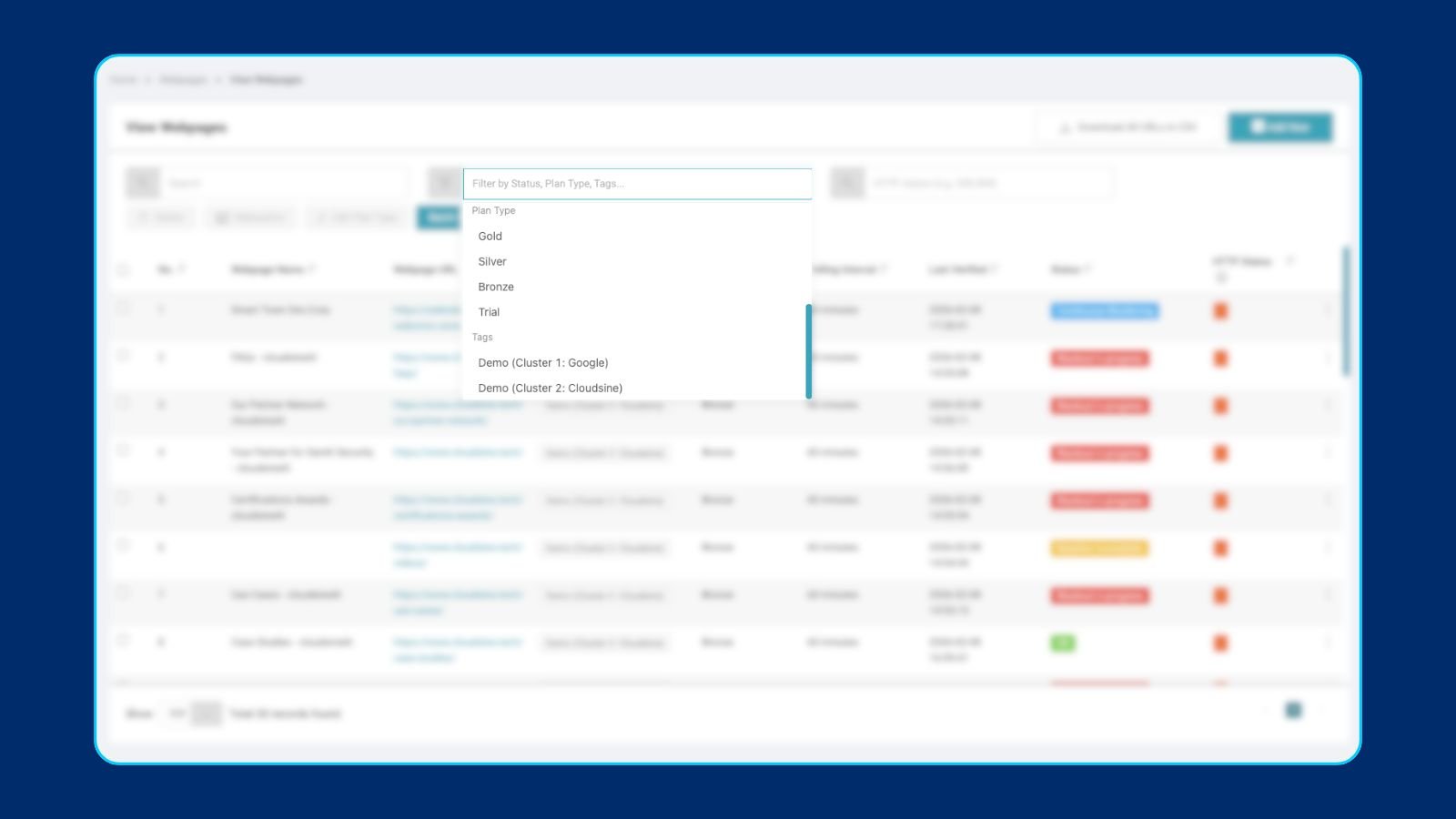
How it works
You now have access to expanded filtering options for alerts and monitored webpages. This helps you narrow down relevant results more quickly and improves overall investigation efficiency.New Feature
Telegram Notifications
WebOrion customers can now receive monitoring alerts via Telegram in addition to email and SMS. This gives you more flexibility in how you stay informed and respond to incidents.How it works
Generate a private registration link from the Notification centre on the WebOrion portal. Once registered, alerts will be sent on Telegram through the WebOrion Telegram Bot.Improvement
Faster Baselining & Rebaselining
Baselining is the foundation of accurate monitoring — it’s how WebOrion® Monitor learns what your website should look like. We’ve significantly sped up the time taken for both baselining and rebaselining, so you spend less time waiting. This is especially impactful if you’re managing a large number of URLs or frequently updating your web content and need to rebase quickly after changes go live.How it works
The baseline and rebaseline features function the same as before, but are significantly faster, even as they run in the background. Navigate to the Add Webpage tab to start a baseline, or View Webpages to start rebaselines.New Feature
Batch URL Plan Type Updates
Need to adjust how frequently certain webpages are scanned? WebOrion Customers can now change monitoring intervals across multiple URLs at once, so reallocating your plan quota is quick and hassle-free.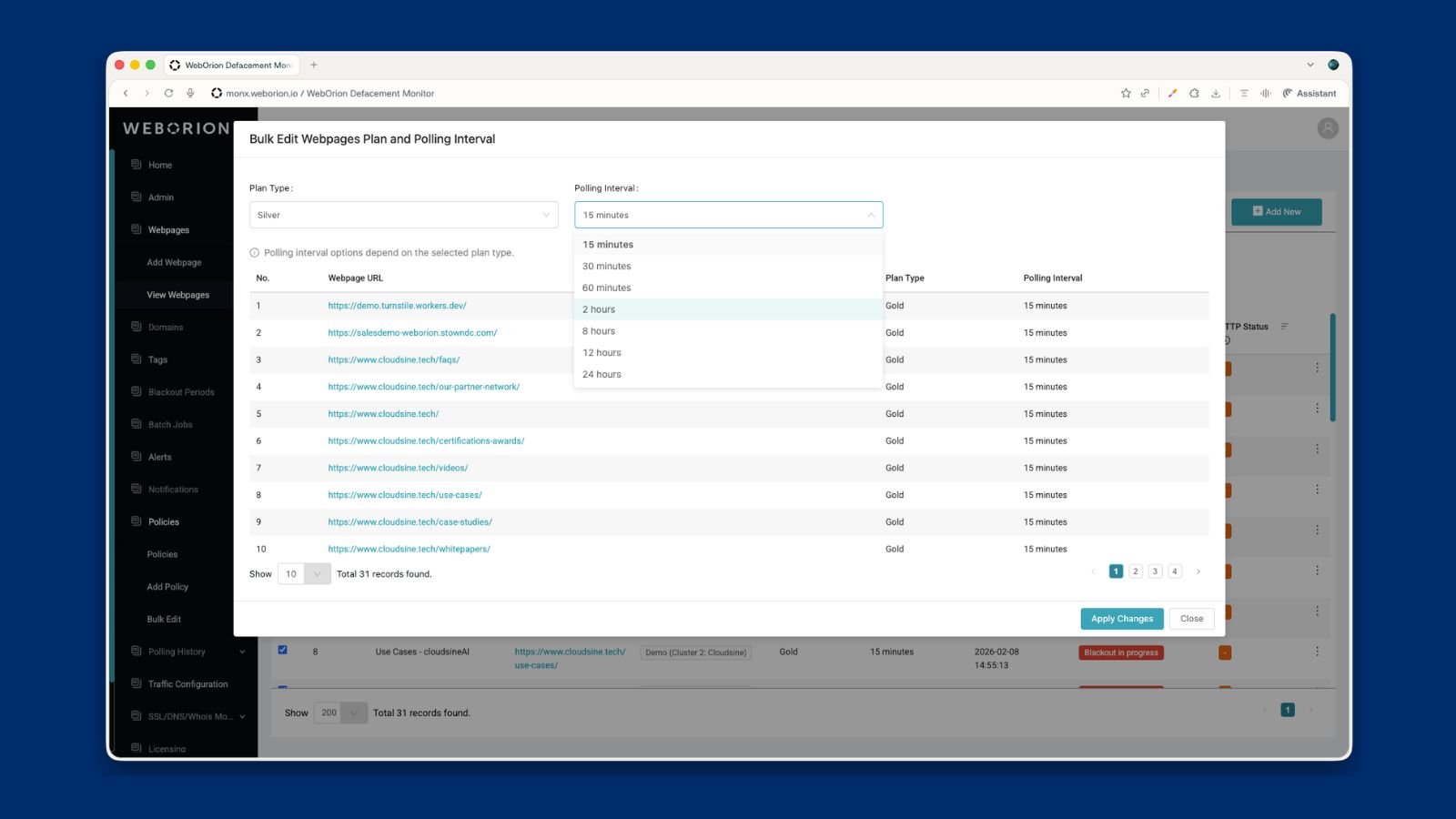
How it works
WebOrion® Monitor scans your pages at different intervals (5, 10, or 15 minutes) depending on your plan. If you want to move a batch of lower-priority pages to a slower interval to free up quota for new critical webpages, you can now do it in one go.New Feature
HTTP Status Code Monitoring
When a webpage does not respond, it could be due to various reasons, as given by HTTP status codes. These response codes will now be shown on the portal to give WebOrion customers greater visibility for ease of troubleshooting and incident analysis.
How it works
HTTP status codes are now displayed directly in your WebOrion Monitor dashboard for each tracked webpage. Whether it’s a 200 confirming everything is healthy, a 404 flagging a missing page, or a 500 pointing to a server error, you’ll see that information right alongside your existing content change monitoring.New Feature
Custom Tags: Stay Organised as Monitoring Scales
A flat list of URLs works fine when you’re tracking a handful of sites. But as your monitoring grows, finding what you need quickly becomes its own challenge.How it works
Custom tags let you label your monitored webpages with any categories that make sense for your team — business unit, priority level, client, or region. Once tagged, you can filter your dashboard to focus on exactly the pages you need.Improvement
Clearer SSL, DNS, and Whois Alert Emails
An alert is only useful if you can act on it immediately. We’ve gone back through our SSL, DNS, and Whois email alerts and aligned them for consistency.