When WebOrion detects a change, it sends an email alert and logs an incident in the portal. This page explains both.

The alert email

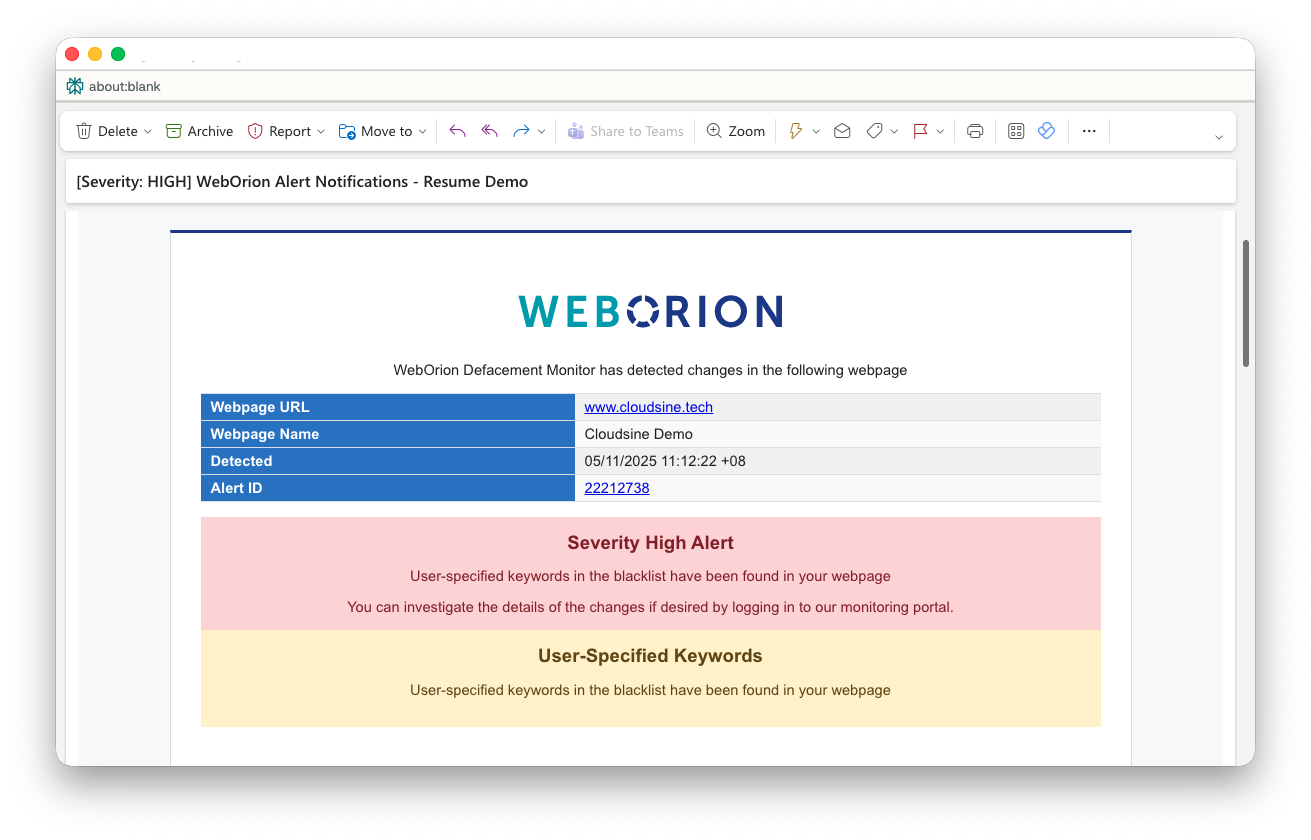
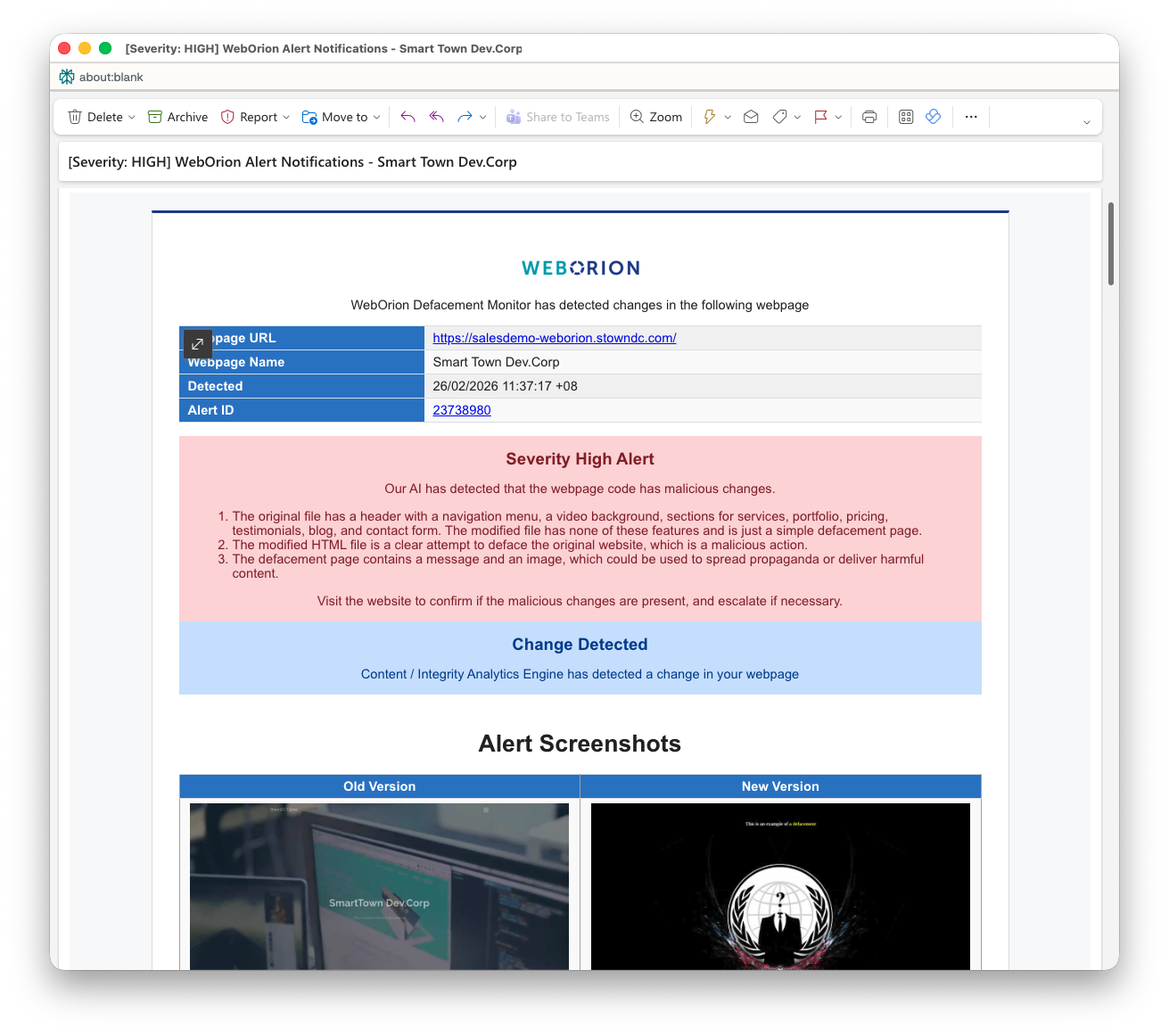
High Alert Email Every alert email has the same header structure:
FieldDescription
Webpage URLThe URL where the change was detected
Webpage NameThe name you gave the webpage when adding it
DetectedTimestamp when the change was detected
Alert IDA unique ID for this incident — click it to open the incident in the portal
Below the header, the email shows a Change Detected summary indicating which engine triggered the alert.

Content & Integrity Analytics alerts

These alerts show two sections: Content Analytics — a table of element counts that have changed:
ColumnDescription
DescriptionThe element type (e.g. Javascripts, # of HTML Lines)
Last Verified ValueThe count at the time of this alert
Baseline ValueThe count at the time of baselining
DifferenceThe delta between the two
Integrity Analytics — a list of specific elements that were modified or removed, grouped by type (e.g. Javascripts, Href Links). Each entry shows the filename or identifier of the changed element.

Webpage Unreachable Alerts
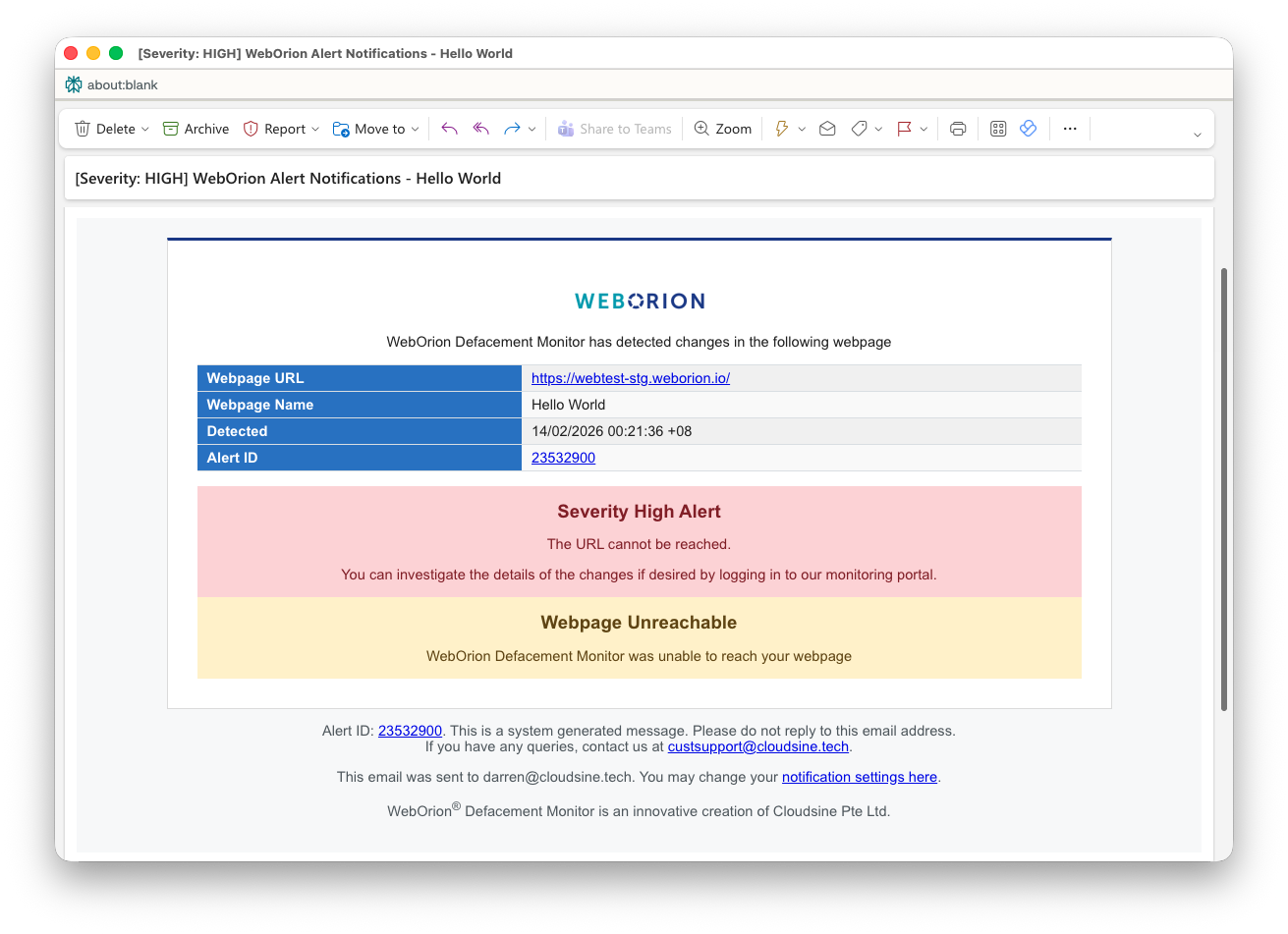
Website Unreachable Email Sent when WebOrion cannot reach the page. The email shows the specific error, for example:
  • Error: Connection timed out after 30001 milliseconds
  • Error: HTTP 404 Received

User-Specified Keywords alerts

User Specified Keyword Email Sent when blacklist or whitelist keywords are triggered:
  • Blacklisted keywords found — a keyword you’ve configured as forbidden was detected on the page
  • Whitelisted keywords missing — a keyword you’ve configured as required was not found on the page

Viewing an alert in the portal

  1. Go to Alerts in the left sidebar
  2. Click on the Alert ID to open the incident
  3. The incident page shows a summary of all changes detected, for example:
# of HTML lines differs from last verification:
Last Verified value: 3495 | Current verified value: 5144 | Difference: 1649

Javascript (In-line_JS_#28) differs from current verification.

Drilling into file changes

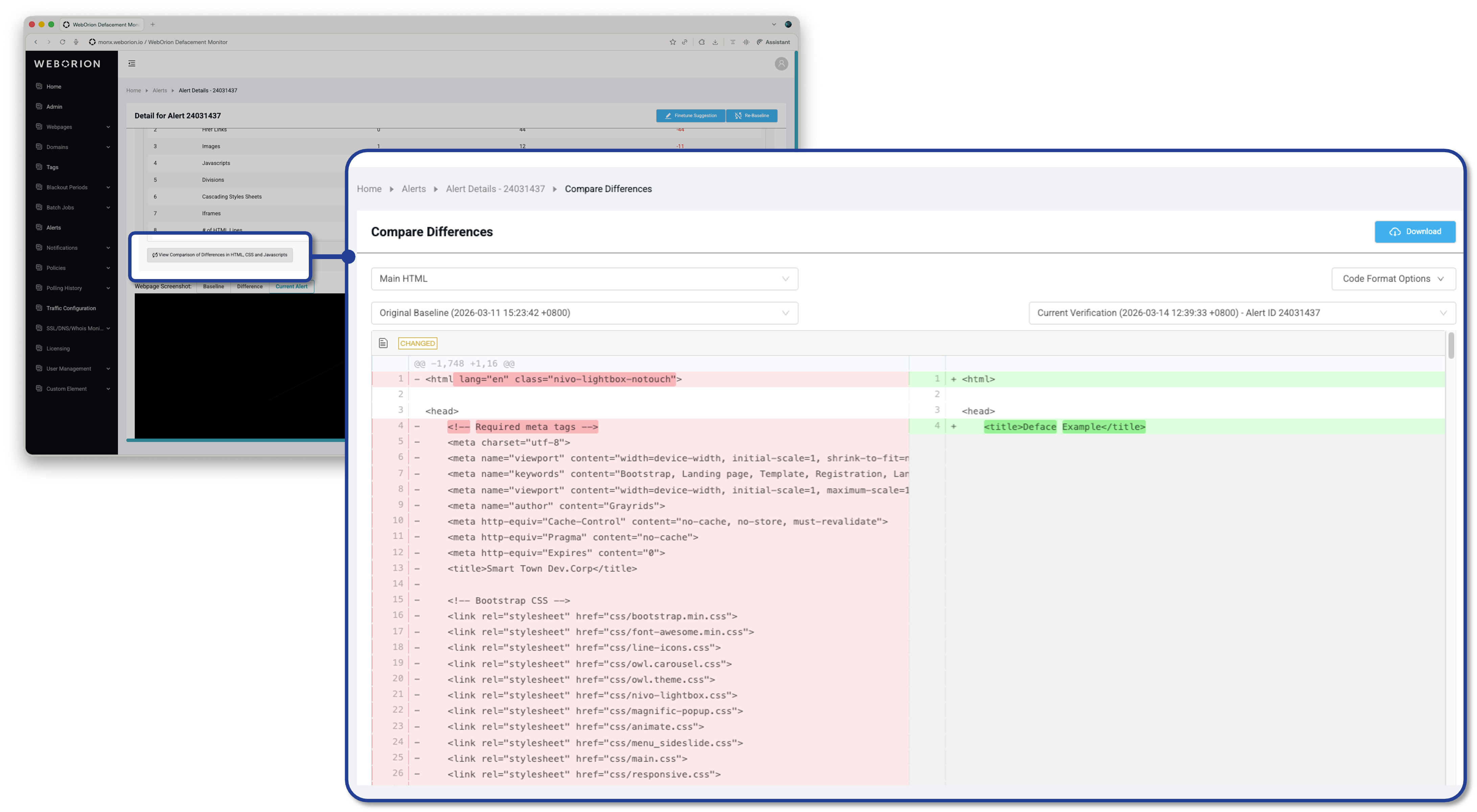
Alert Code Diff For alerts involving specific Javascript or CSS files, you can view the exact diff:
  1. From the incident page, click on the specific file that changed
  2. The diff view opens with a side-by-side comparison:
ColumnDescription
Left (red)The state of the file at the time the alert was triggered
Right (green)The previous baseline state of the file
Changed lines are highlighted, making it easy to identify exactly what was added, removed, or modified.
If the change looks authorised — a planned content update or a script version bump — re-baseline the page to clear the alert and set the new state as the reference. See Re-baselining Webpages.